


For vendors/Map pins and travel zones
Map pins and travel zones
Mark the shark points, dive sites and wrecks you visit. Once verified, attach them to your safaris.
4 steps · 2 min read
allaboardsafari.com/vendor/map-pins
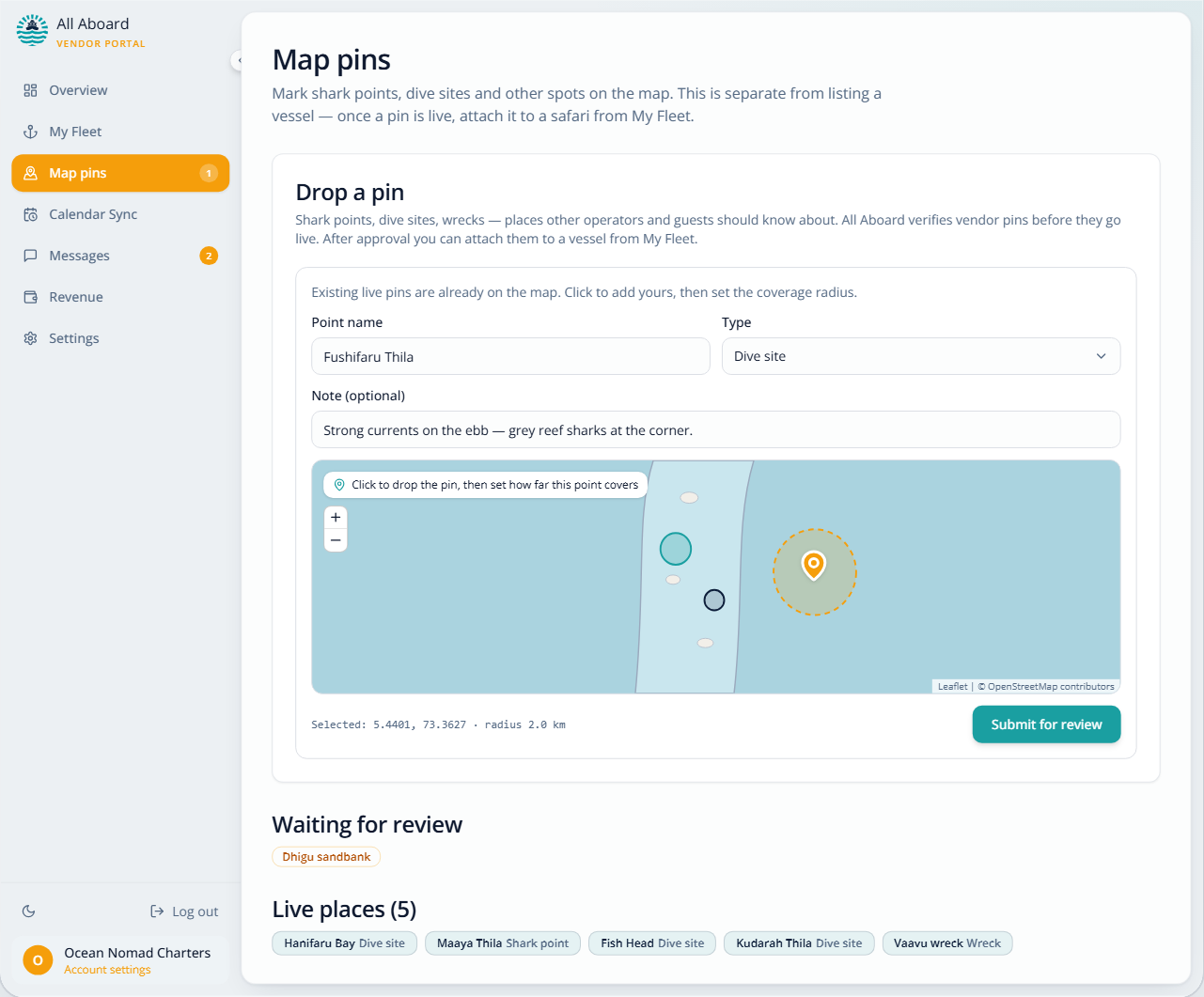
Preview with sample data · tap a number
Step 1: Name the place
In Map pins, enter a Point name, choose a Type (shark point, dive site, wreck…) and add an optional note.
Step 2: Drop the pin
Click the map to drop your pin, then set how far it covers. Existing live pins are already shown.
Step 3: Submit for review
Tap Submit for review. The pin waits under Waiting for review until we verify it, and we'll email you when it's live.
Step 4: Attach it to a safari
Everything under Live places can be picked in Travel zones on your vessel form.