

For vendors/Amenities, extras and pricing
Amenities, extras and pricing
Finish the listing: amenities, travel zones, what's included, paid add-ons and your nightly price.
5 steps · 3 min read
Preview with sample data · tap a number
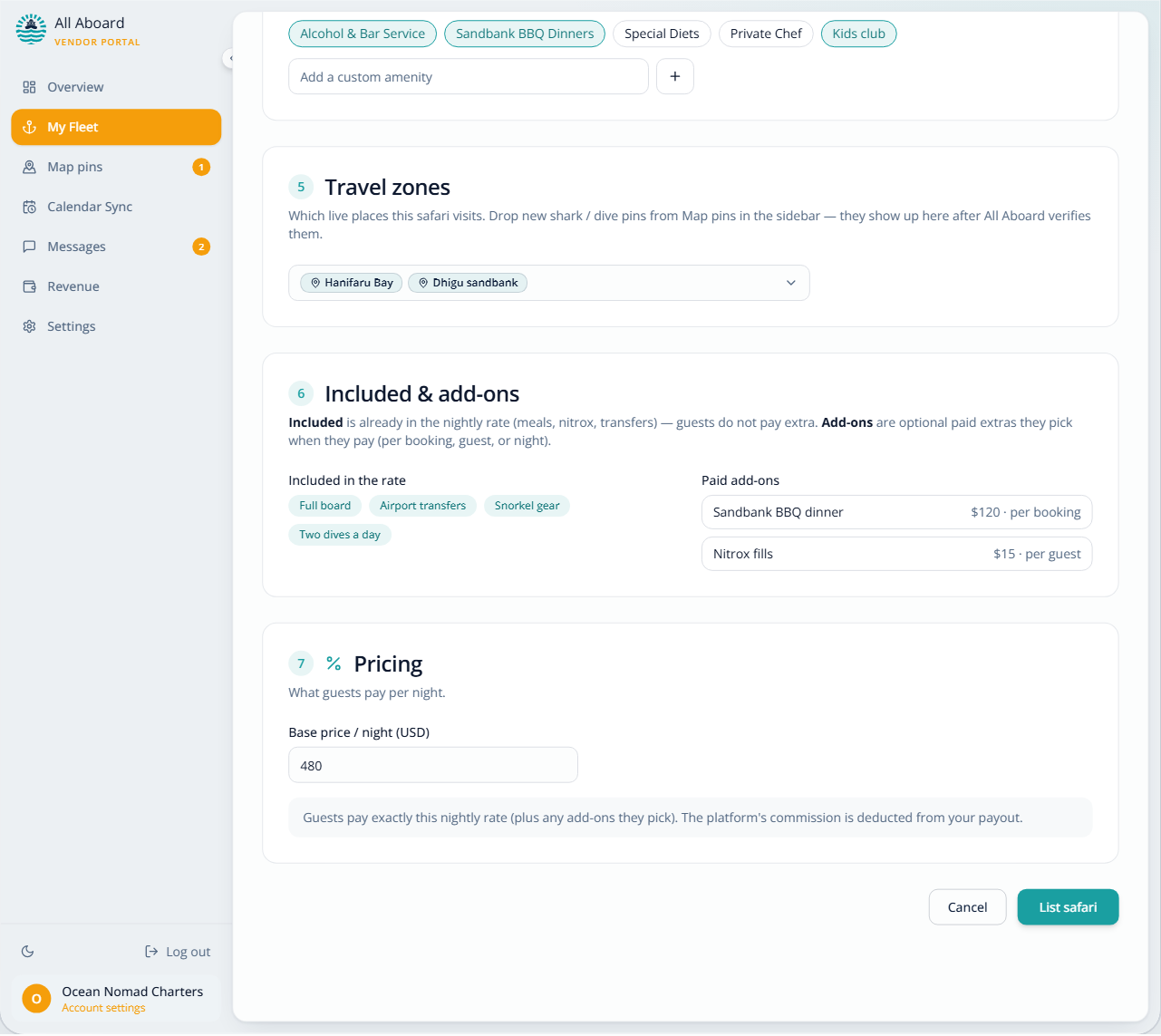
Step 1: Tick your amenities
Pick presets from each group, or type your own with Add a custom amenity.
Step 2: Choose travel zones
Select the live places this safari visits. New pins come from Map pins and appear here once verified.
Step 3: Set what's included and add-ons
Included in the rate is what guests don't pay extra for. Paid add-ons are optional extras priced per booking, per guest or per night.
Step 4: Set your price
Choose USD or MVR, then set Base price / night. Guests pay exactly that rate plus any add-ons; Maldives residents are charged in MVR at the platform's exchange rate. The platform commission comes out of your payout.
Step 5: List safari
Tap List safari. It goes live straight away and guests can book immediately, as long as you have a payout account in your pricing currency.