

For vendors/Add your vessel
Add your vessel
Start a listing from My Fleet: the specification, your route highlights and photos.
4 steps · 2 min read
allaboardsafari.com/vendor/fleet/new
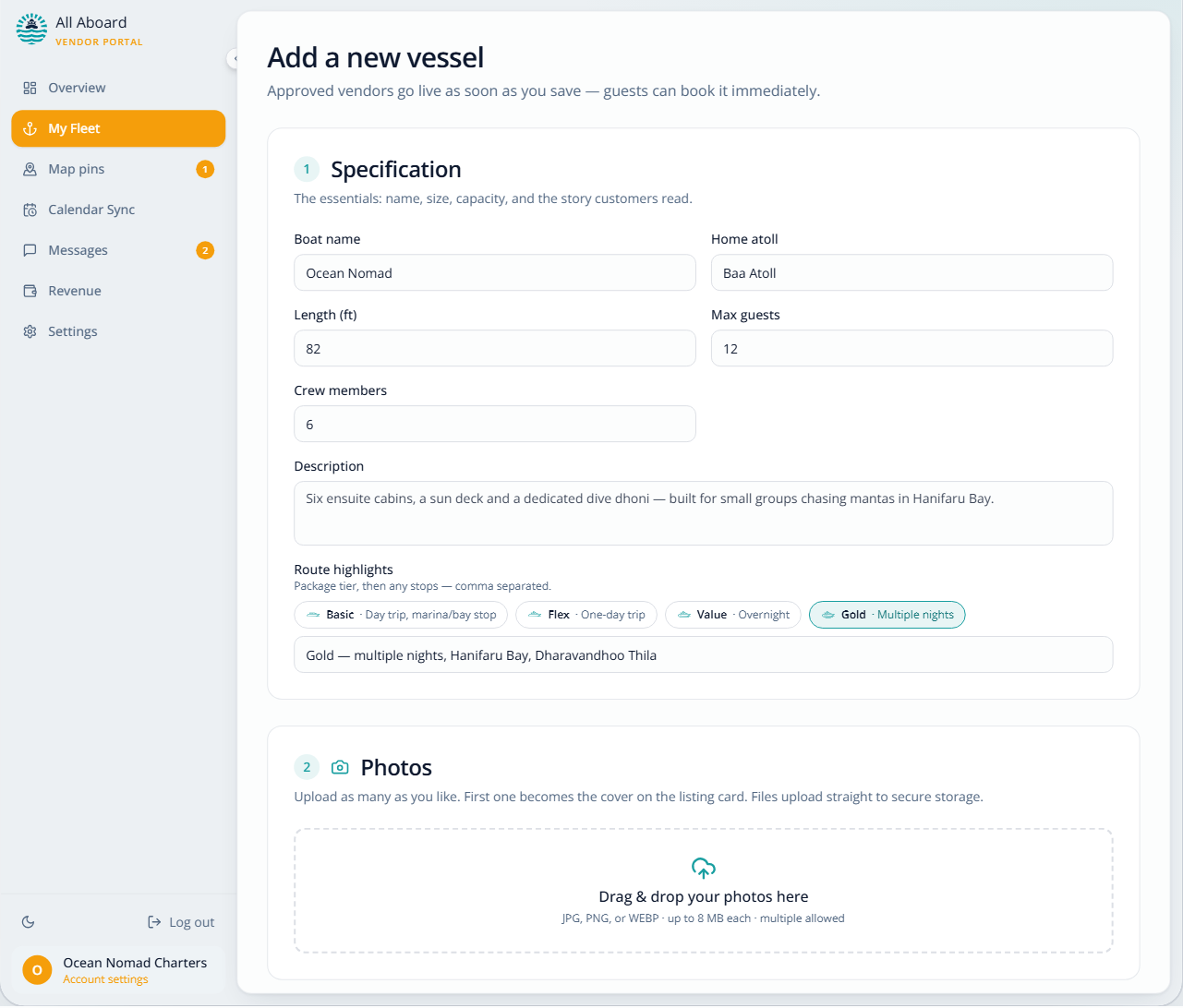
Preview with sample data · tap a number
Step 1: Add a new vessel
Go to My Fleet and tap Add new vessel.
Step 2: Fill in the specification
Boat name, home atoll, length, max guests, crew members and a description travellers will read.
Step 3: Pick your route highlights
Choose a package tier (Basic, Flex, Value or Gold), then list your stops, comma separated.
Step 4: Upload photos
Drag in as many as you like (JPG, PNG or WEBP, up to 8 MB each). The first photo becomes the cover on your listing card.
Tip: You need an approved account to publish. Until then, saving points you to your application status.